


1
Choose a Clip and a Tool
Pick the fix your footage needs — background removal, watermark cleanup, or enhancement — and drop in a clip with movement, texture, and changing light.
Higgsfield AI covers the everyday video fixes — start with the free background remover below, no editing skills required.















Explore The Higgsfield AI Toolkit
Background removal is one tool in the Higgsfield AI suite — pick whichever one matches today's edit.
From product clips and classroom lessons to social posts and ad variations, Higgsfield AI covers the video fixes creators need most.
Why Creators Use Higgsfield AI for Reused Clips


When a favorite take needs a second life, creators turn to Higgsfield AI to swap the background, clear an old watermark, or sharpen the footage before it goes back out as a post, ad, or reel.
Why Online Stores Use Higgsfield AI

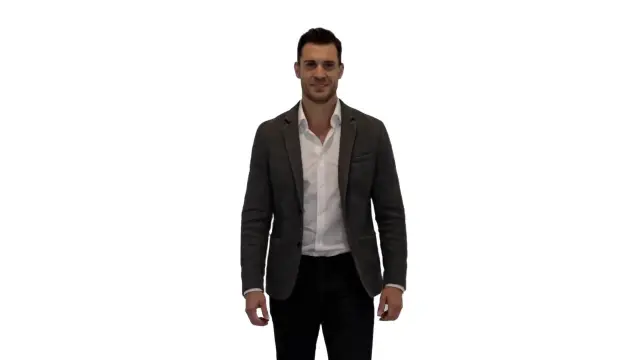
A demo that already works sometimes just needs a better setting or sharper detail. Higgsfield AI lets product teams swap backgrounds and enhance footage while a fast preview flags labels, hands, or shiny surfaces worth a second look.
Why Educators Use Higgsfield AI for Lessons


A busy room can pull focus from the actual lesson. Higgsfield AI puts the presenter next to slides or a screen recording, then cleans up soft video quality along the way.
Why Fitness Creators Use Higgsfield AI
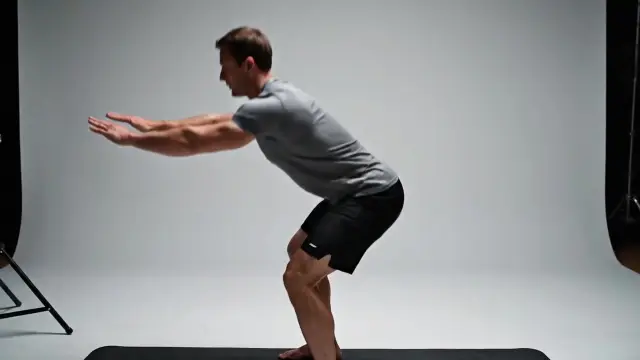

Strong movement doesn't need a memorable room behind it. Higgsfield AI lets fitness creators swap the setting and sharpen the footage before a workout, coaching clip, or profile video goes live.
Higgsfield AI bundles the everyday video fixes — background swaps, watermark cleanup, enhancement, and image generation — into one browser-based toolkit built for real publishing deadlines.
Instead of switching between five different apps, Higgsfield AI keeps background removal, watermark cleanup, and video enhancement under one roof, so a shot keeps its full frame while only the parts that need work change.
A still frame can hide problems that only show up while a clip is playing. Higgsfield AI lets you scrub through hair, fingers, and fast gestures so you catch rough edges before you export.
Try any Higgsfield AI tool free before you commit to a plan. Drop in a busy section of your clip and judge the result at the size your audience will watch it — phone, product page, or slide deck.
Higgsfield AI makes it easy to carry one look across a whole campaign — swap backgrounds, tidy up watermarks, and sharpen quality without opening a second app for each fix.
Traditional editing software takes time to learn, and hiring an editor costs money for routine fixes. Higgsfield AI handles background removal, watermark cleanup, and enhancement in the browser, in minutes.
Agencies, sellers, teachers, and internal teams reach for Higgsfield AI whenever a clip needs a quick professional touch-up before it goes out the door.
Use Higgsfield AI at higsfield.io in three steps: pick a tool, preview the result, and check the outcome before you export.
Pick the fix your footage needs — background removal, watermark cleanup, or enhancement — and drop in a clip with movement, texture, and changing light.
Once Higgsfield AI has processed the clip, weigh the result against the original footage before deciding what to keep.
View the export at the size viewers will actually see it. Higgsfield AI has done its job if the subject holds up believably from the opening beat to the closing one.
Real feedback from people running background swaps, enhancement, and everyday video fixes through Higgsfield AI.
“Higgsfield AI lets me sharpen old family footage and settle it into a calmer setting, all without losing the small gestures that make each recording feel real.”

Nora Hayes
Archive Producer
“Before a campaign clip goes live, I run it through Higgsfield AI — the quickest way to swap a background and tidy up quality at roughly the size my audience will see it.”

Priya Okoye
Social Video Strategist
“For product demos, Higgsfield AI beats reshooting every angle. My team swaps the setting, clears any watermark, and checks the product outline in minutes.”

Marcus Shah
Product Content Lead
“Higgsfield AI keeps our presenter next to the lesson slides instead of a messy office, and sharpens the recording so nothing distracts from the material.”

Sofia Bennett
Learning Experience Designer
Test any tool in the Higgsfield AI suite free at higsfield.io, then pick a plan sized for regular editing work.
For solo creators enhancing short videos
$117.60 billed annually
9,600 Credits
Get StartedPopular
For teams improving frequent video assets
$239.40 billed annually
57,600 Credits
Get StartedFor studios and high-volume enhancement workflows
$1,199.40 billed annually
360,000 Credits
Get Started


Questions about your plan? Reach us atsupport@higsfield.io
Straight answers about the Higgsfield AI toolkit, its tools, and choosing the right plan.
Higgsfield AI is a browser-based toolkit for everyday video work — background removal, watermark cleanup, enhancement, and image generation — without installing anything.
Yes. Run any Higgsfield AI Free tool on your toughest few seconds first — fine hair, fast hands, moving edges — and watch playback at normal speed before deciding.
From short-form creators to online sellers, teachers, and small teams, Higgsfield AI fits any workflow that needs a quick, professional video fix.
Editing software takes time to learn, and hiring an editor costs money for routine fixes. Higgsfield AI handles background removal, watermark cleanup, and enhancement in the browser, in minutes, for the fixes most clips actually need.
Cropping can cut off hands or motion. Higgsfield AI keeps the original framing while the setting changes — just review the outline whenever light or camera angle shifts.
Higgsfield AI analyzes every frame so the subject stays distinct in motion, whether you're swapping a background or sharpening the shot. Inspect edges during the fastest movement for the cleanest result.
Yes. Higgsfield AI can swap the background and sharpen a product demo before it reaches a store page or slide. Check reflective packaging and thin handles carefully before publishing.
Before a social export, run a quick Higgsfield AI Free check on gestures and fine hair, then preview the result at phone size, where compression hides the least.
Reach for Higgsfield AI when you want a quick in-browser fix, and switch to a desktop editor for keyframes, grading, or layered compositing. Many people clean up footage in Higgsfield AI, then move to the editor for the rest of the cut.
Play back the whole clip rather than judging a single frame. Pay attention to hairlines, fingertips, and motion blur — with Higgsfield AI, a clean pass keeps eyes on your message instead of the edit.
Yes — Higgsfield AI puts a presenter next to slides or a recording instead of a busy room. Just keep any on-screen text legible and make sure the new backdrop supports what's being taught.
Reach for the Higgsfield AI Free preview when a clip needs a quick fix — a swapped background, a cleared watermark, or sharper footage — before you build out social variations or send something for review.
Higgsfield AI is the official name of this tool, hosted at higsfield.io. People sometimes search for Highfield AI or just higsfield when looking for it — all three lead to the same Higgsfield AI workflow.
Open the toolkit at higsfield.io and put Higgsfield AI to work on your next clip before you pick a plan.